 1300 557 356
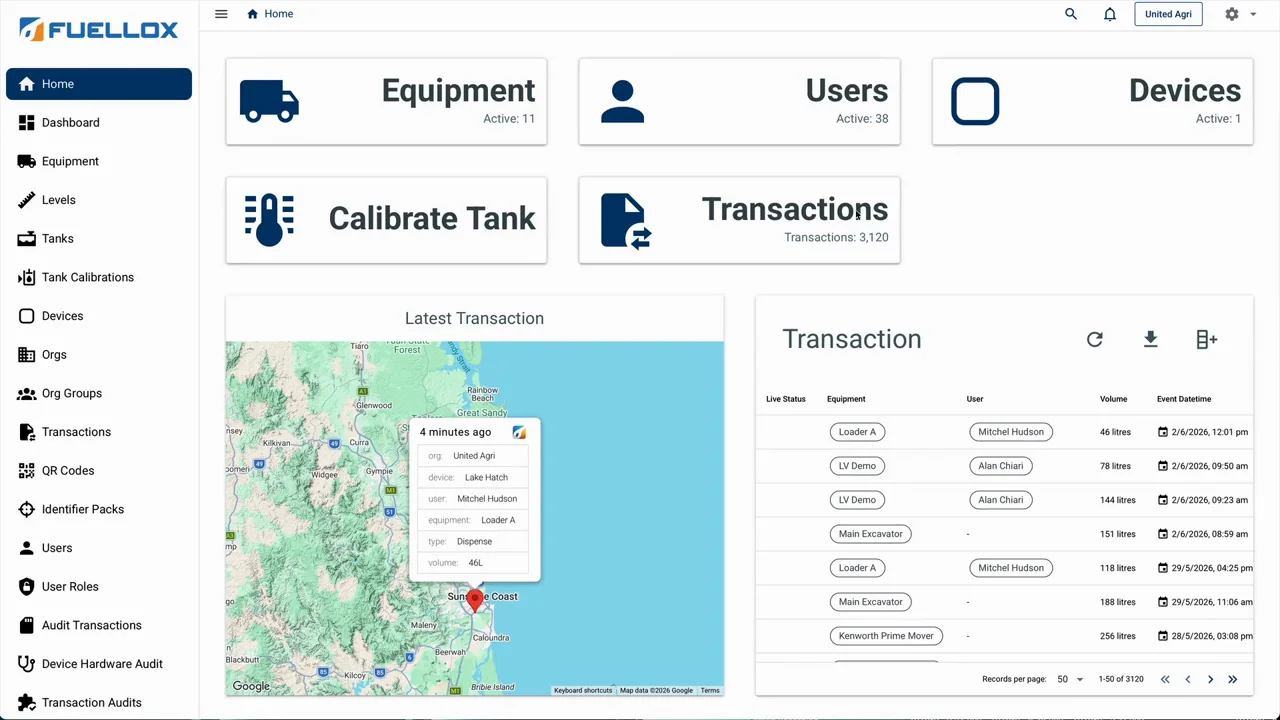
Fuellox Dashboard
See Where Your Fuel Goes, Fill by Fill.
- Every fill on a map, filtered by machine, job or date
- Tax-time fuel summary, split on-road and off-road
- Export whatever you're looking at to Excel or CSV
- Add and remove your crew yourself
Your Records
Every Fill on Record, Ready to Work With.
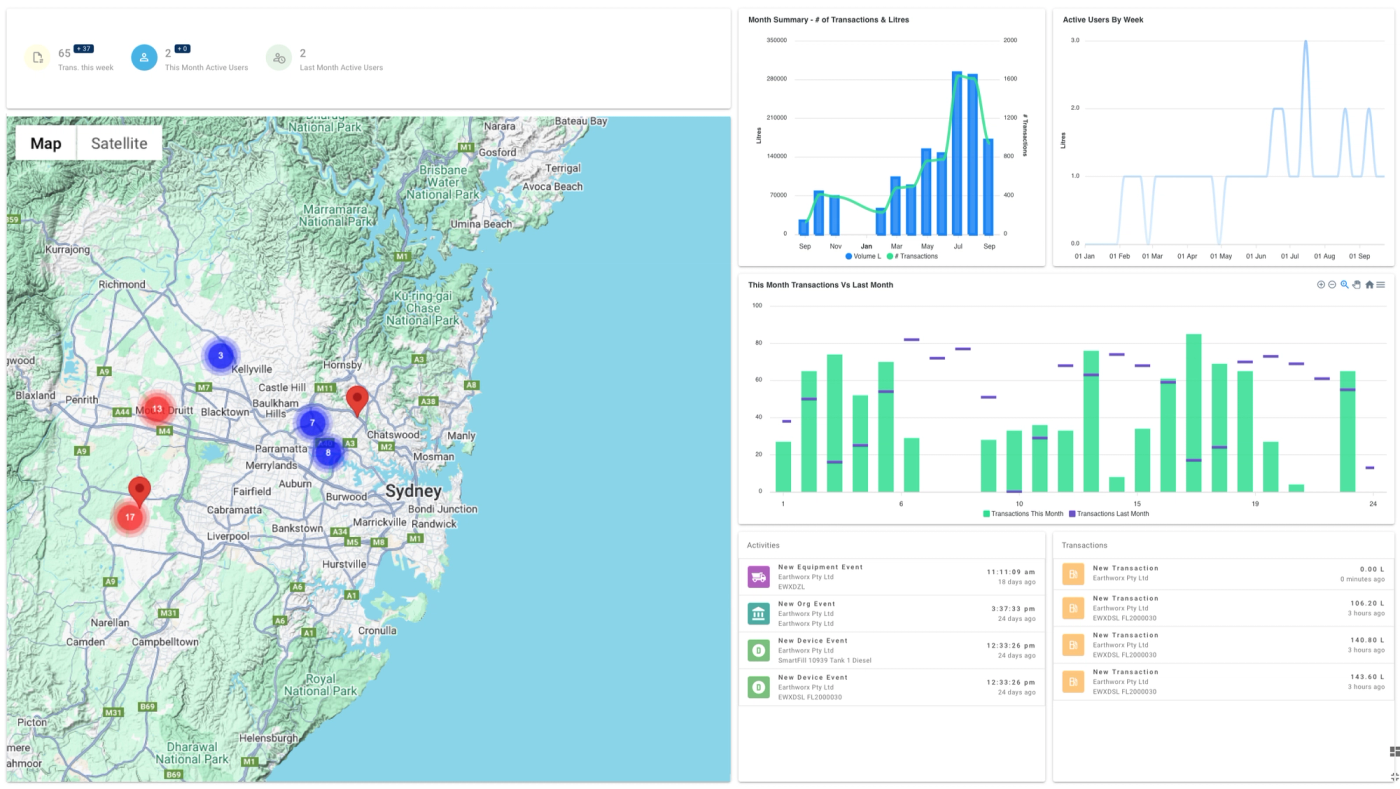
Every fill recorded through Fuellox lands in one place: the machine, the operator, the job, the litres, the time and the place. Break it down by site, job or period and compare fuel use month on month, so the numbers behind each job are there when you need them.
-
Filter it
By machine, operator, cost centre, date range and more.
-
Map it
Plot whatever you've filtered and see where each fill happened.
-
Export it
Download what you're looking at, filtered and all, to Excel or CSV.
Reports
Month-End Reports, From the Record.
Every fill is already on the record against a machine and a job, so the reports come straight off it. Run them for any period and send them to the office or your accountant.
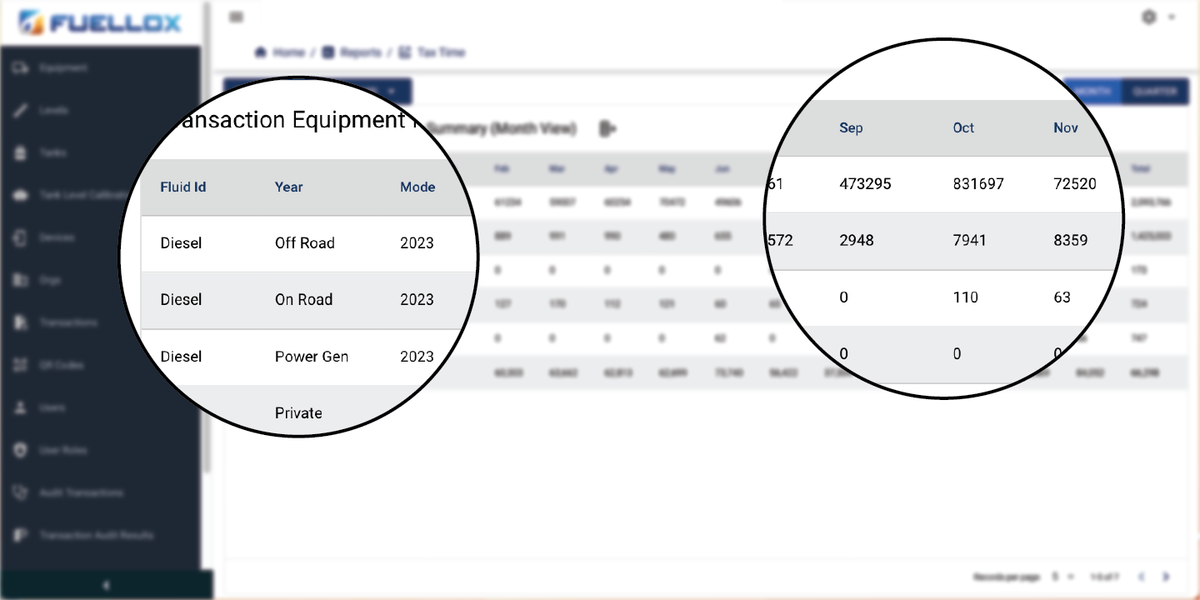
- Tax time
Tax-time fuel summary
Month by month or by quarter, split into on-road and off-road use, ready to download for your accountant.
- Costing
Job and cost-centre costing
Litres recorded against the job, project or cost centre they went to, not spread across them by guesswork. On the Fleet and Enterprise plans.
- Analysis
Fleet analysis
See which machines use the most and how this month compares with the last. The Enterprise plan adds a pivot report builder.
Managing It
Your Setup, In Your Hands.
Your crew, your units and your tanks change over time. Keep the dashboard in step without calling anyone.
-
Your crew
Add a new starter or remove someone who's left, straight from the dashboard.
-
Your devices
Name each Fuellox unit after the tank it's on, so the fill list reads like your yard.
-
Your QR codes
Check which code is on which machine, so every fill lands against the right one.
-
Your tanks
Connect a level probe and see what's left in each tank, with an alert before it runs low. On the Fleet and Enterprise plans.
Plans and Cover
Dashboard and Cover,
On One Plan.
Your yearly plan sets what the dashboard can do, and it includes Fuellox Care. A faulty unit is repaired or replaced at no extra cost, and each renewal adds another 12 months of warranty. Australian phone support and software updates come with it. Priced per connected Fuellox unit, per year, excl GST.
-
Care
One company, diesel, 10 users, standard reports and QR. -
Fleet
Diesel, DEF and petrol, cost centres, tank monitoring, 20 users. -
Enterprise
Unlimited equipment, role management, pivot reports, virtual tank balance.



4,000+ USERS IN THE FIELD
Trusted by The People that Build Australia
-

Now I've got something to show the boss — exactly where every litre has gone.
Maintenance Manager, winery & vineyard operation
-
What we did before was terrible — very manual, very time consuming. A pain in my butt.
Farm admin, Ag Major, SA
-
We'd go to fuel up and the tanks were empty — but they were filled three weeks ago. It was just an honesty system.
Grain grower, NSW
-
Fuellox is exactly what we needed.
Operations, meat processing & farming group, VIC
-
This is something we definitely needed. Like, we NEEDED it.
Maintenance Manager, winery & vineyard operation
-
That's unreal, mate. Thank you so much.
Harvesting contractor
-
The portal gives us absolutely everything we could possibly want.
Admin Manager, crane hire, QLD
-
We really like the project feature — I never seen any other program that has it, and I've looked into many.
Grain grower, NSW
-
It's very simple to use, and we like simple. It's just what we need in the field.
Owner-operator, civil & earthmoving, SA
-
It's just so intuitive — you don't have to read a set of instructions to start using it.
Fuel industry partner, WA
-
Since we put them on, nothing's been taken. I am 100% happy with how they are going.
Colin
CCA Transport
-
Very Happy
The system was installed and up and running in a day. Even put a Fuellox unit on our portable fuel truck for the farm. My 70-year-old father was the first to try it and managed without any explanation or help whatsoever. Reporting for fuel excise claims are now very simple and clear even thou we run off road and on road vehicles.
Rob Bell
Farm Owner
-
It very simple to use, and we like simple. Its just what we need in the field.
Owner-operator
Civil & earthmoving, SA
-
The portal gives us absolutely everything we could possibly want.
Admin Manager
Crane hire, QLD
-
Its just so intuitive, you dont have to read a set of instructions to start using it.
Fuel industry partner
WA
-
We'd go to fuel up and the tanks were empty, but they were filled three weeks ago. It was just an honesty system.
Grain grower
NSW
-
We really like the project feature, I never seen any other program that has it, and I've looked into many.
Grain grower
NSW
-
Now I've got something to show the boss exactly where every litre has gone.
Maintenance Manager
Winery & vineyard operation
-
It's like putting $30,000 in petty cash every month.
Jim G.
Civil Earthmover
Questions & Answers
Questions About the Fuellox Dashboard.
Is the Fuellox dashboard included with the hardware?
It comes with the plan, Care, Fleet or Enterprise, priced per connected device per year. The hardware is bought once.
Can I export for fuel tax credits?
Yes. The excise export is built from every recorded litre.
Does it track tank levels?
From the Fleet plan up: tank level monitor, notifications, and virtual tank balance at Enterprise.
How many users can I have?
10 on Care, 20 on Fleet, 40 on Enterprise, with roles from operator to fleet manager.
Does it work offline?
The phone app does; it syncs to the Fuellox dashboard when it next finds signal.
Can I try it?
Take a test drive: a demo account with real-looking data.